AI quiz generator from a PDF: the free screenshot method
Last updated September 29, 2026
To be upfront: SwipeSmrt doesn't take PDF files directly. It reads images. The good news is that a screenshot of a PDF page is an image, and taking one is quicker than most upload forms.
It's often the better way anyway. A quiz on a whole 200-page PDF is too broad to be useful. A quiz on the four pages that are actually on Friday's test is exactly what a kid needs.
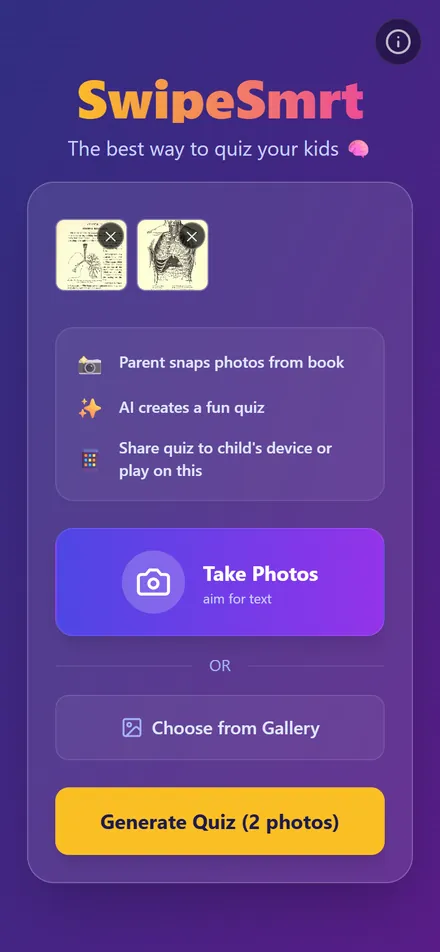
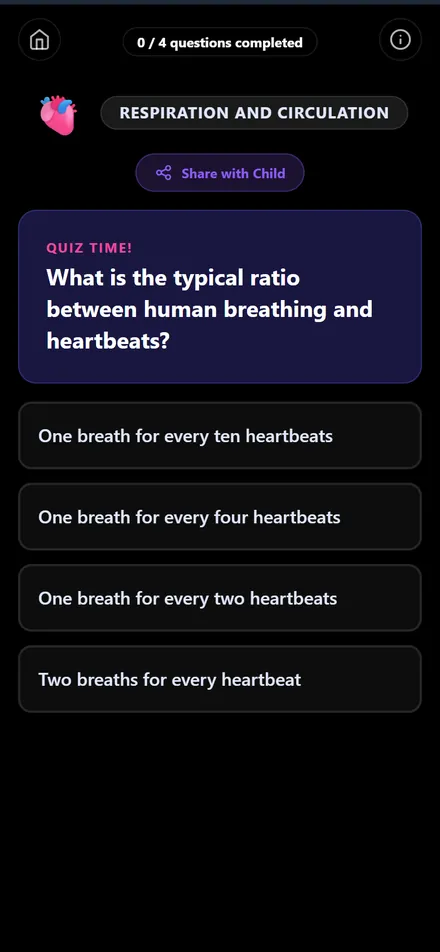
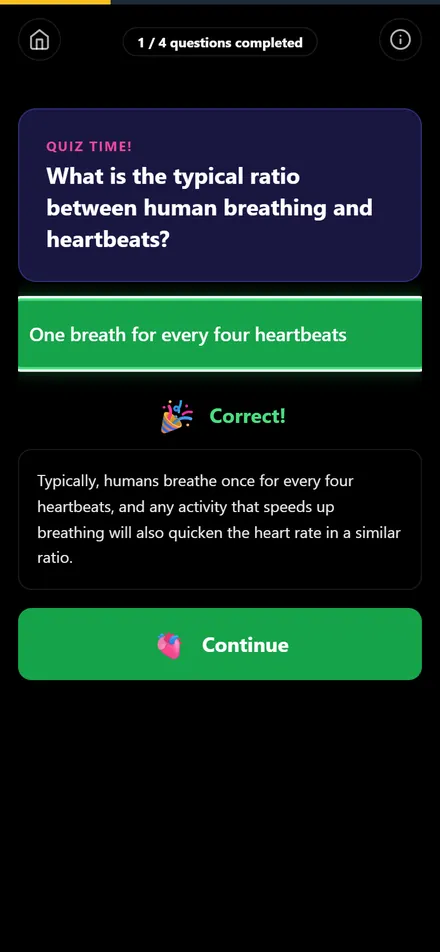
On a phone
- Open the PDF and zoom so one page fills the screen.
- Take a screenshot. Repeat for each page you want in the quiz.
- Open swipesmrt.com, tap Choose from Gallery and pick the screenshots.
- Tap Generate Quiz.
On a computer
- Open the PDF. Take a screenshot of the page: Windows+Shift+S on Windows, Cmd+Shift+4 on a Mac.
- Save each screenshot as an image file.
- Open swipesmrt.com, click Choose from Gallery and select the files.
- Click Generate Quiz.
The screenshots above come from a scanned 1903 physiology textbook that lives on the web as a PDF. Scanned PDFs work fine, since the app reads the page as a picture either way.
Tips
- One page per screenshot. Text that's too small to read on screen is too small for the quiz too.
- Pick pages rather than chapters. You can add up to 30 images in one quiz, but five good pages beat thirty skimmed ones.
- For a test tomorrow, pick the pages the teacher pointed at. There's a plan for that evening in building a review quiz the night before.
What you don't need
No account, no file converter, no subscription. If you've been copying PDF text into a flashcard app by hand, the difference is covered in a free Quizlet alternative built from your own pages.
Common questions
Why can't I just upload the PDF?
SwipeSmrt is built around photos of pages, so it reads images. A screenshot turns any PDF page into one, and it lets you pick only the pages that matter.
Does it work with scanned PDFs?
Yes. A scanned page is already a picture of text, which is exactly what the app reads.
How many pages can I include?
Up to 30 images in one quiz. For studying, a handful of well-chosen pages works better than a whole chapter.
See it in action
Turn textbook pages into a quiz in 30 seconds (0:42). Transcript and more videos