A free quiz maker that works from a picture
Last updated September 29, 2026
Most quiz makers want you to type the questions yourself, or at least paste in a block of text. When the material is sitting on paper in front of you, that typing step is exactly why nobody ends up making the quiz. Start from a picture and the step disappears.
SwipeSmrt is free, runs in the browser on any phone or computer, and doesn't ask you to create an account.
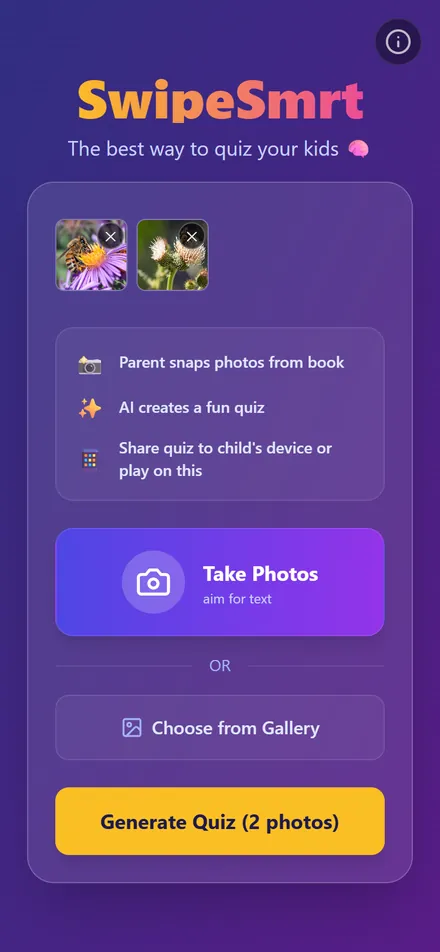
How it works
- Open swipesmrt.com and tap Take Photos, or Choose from Gallery if the pictures are already on your phone.
- Add one picture or several. Each one adds two or three questions.
- Tap Generate Quiz. A few seconds later the first question is on screen.
What kind of pictures work
Textbook pages and worksheets are the obvious ones, and there the questions come straight from the text. Handwritten notes work too, as long as a person could read them. Maps, diagrams and posters are fine.
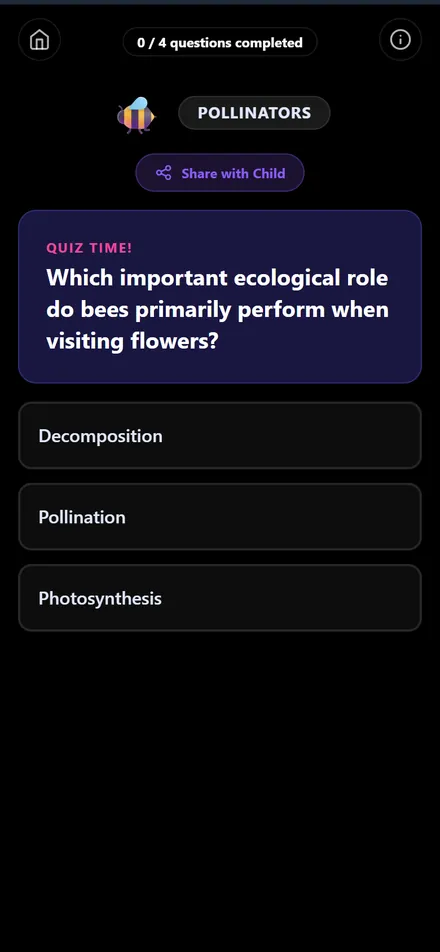
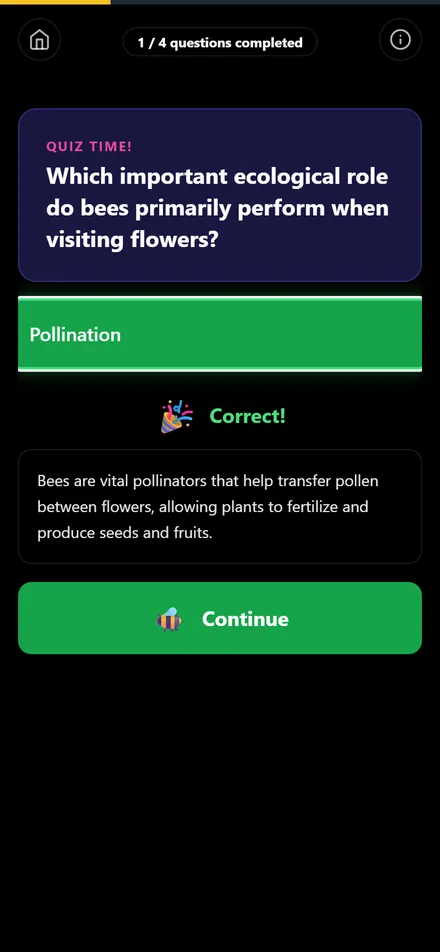
A picture doesn't need text at all. If there isn't any, the questions come from what's visible and the general knowledge it shows. The screenshots above are from exactly that: two photos of bees on flowers, taken on a walk, turned into a quiz about pollination. There's more on why the visual side of a page is worth keeping in why visuals stick better than plain notes.
The quiz comes back in the language of the page. A Swedish textbook gives Swedish questions, and a Spanish one gives Spanish questions.
What you get back
Multiple-choice questions with two to four options, one card at a time, and a short explanation after every answer. When the quiz is done you see the score. If the quiz is meant for your kid rather than for you, tap Share with Child and send them the link, and it opens on their phone without an app. For the details of what happens between the photo and the first question, see how textbook photos become a quiz.
Tips for a better quiz
- Fill the frame with the page, and take the photo in decent light.
- One page per photo reads better than two pages squeezed into one.
- Want a longer quiz? Add more photos rather than one wider shot.
Common questions
Is it really free?
Yes. There's no sign-up, no trial and nothing to pay for. You open the site and use it.
How many pictures can I use for one quiz?
Up to 30. Each picture adds two or three questions, so three or four photos already make a solid review session.
Does it work on a computer?
Yes. On a computer you choose image files instead of taking photos, and the quiz works the same way.
See it in action
Turn any photo into a quiz, no textbook needed (0:20). Transcript and more videos